
A Notion page can become a website quickly, but the first decision is not which button to press. It is whether the page is ready for the public, what kind of visitor experience it needs, and how much website infrastructure the project actually requires.
Decide how to publish before adding features
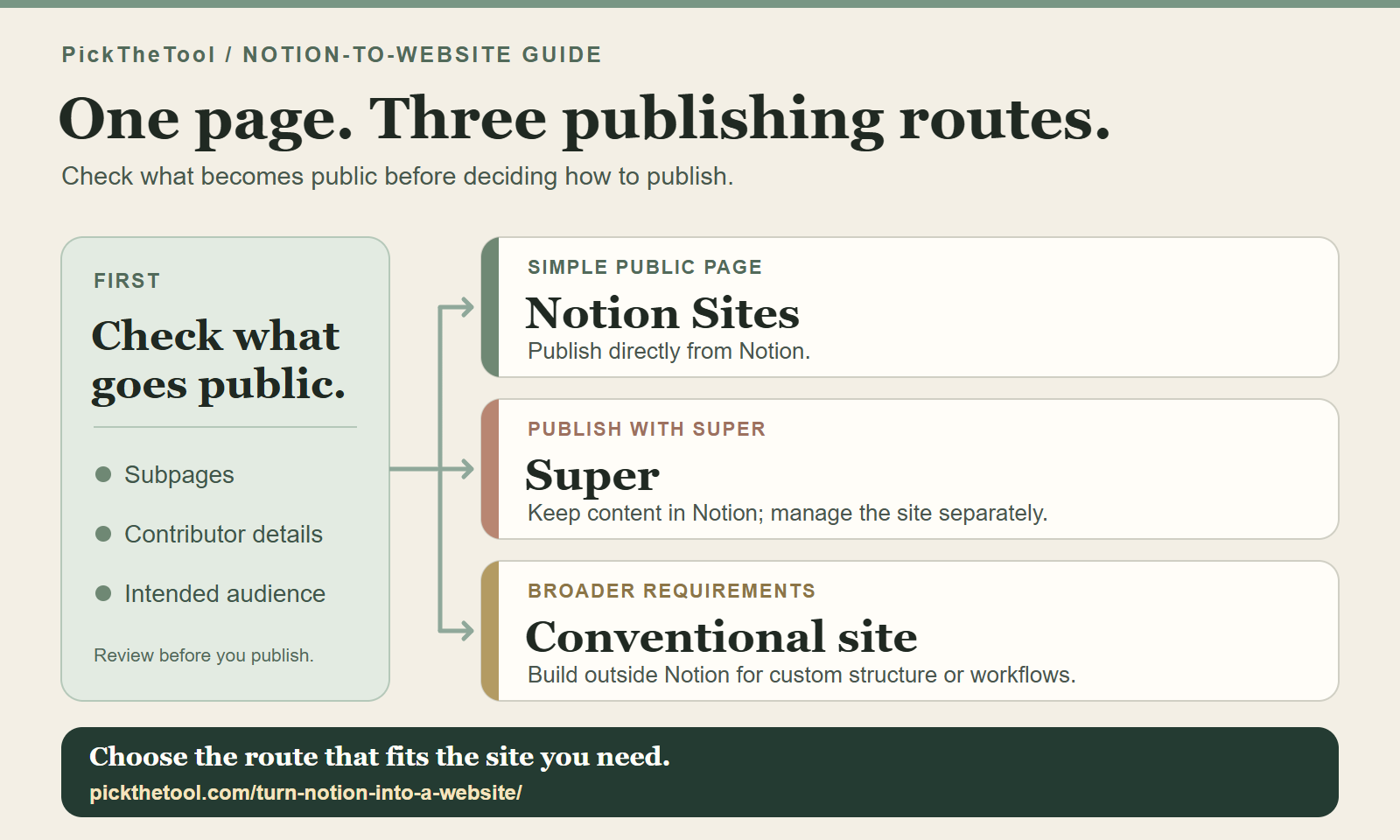
- Publish with Notion Sites when the page is already clear and the priority is the lowest-friction launch.
- Use Super when Notion should stay the content source but you need more control over the website’s appearance, navigation or SEO settings.
- Use a traditional website builder when the job depends on custom functionality, complex design systems, or a CMS beyond a published Notion workspace.
The low-risk move is to publish one useful page first. Do not build a larger site to avoid finding out whether the content helps anyone.
1. Check whether the Notion page is ready to be public
A useful public page has a clear reader, one main purpose, and a next step. Before publishing, check the page hierarchy as well as the page itself. If you are still choosing where to create the content, see our Notion tool overview before deciding how to publish it.
- Can a new visitor understand the page without workspace context?
- Are internal notes, unfinished pages, and sensitive subpages excluded?
- Does the title say what the page is for?
- Does the page work comfortably on a phone?
2. Use native Notion Sites when publishing speed matters most
How to publish a Notion page as a website
- Open the page in Notion and select Share.
- Open the Publish tab and select Publish.
- Select View site, then copy the published site link — not the private workspace URL.
Notion’s publishing guide highlights a default worth checking before you share the site:
“Subpages are also published by default, along with any of their subpages.”
You can restrict subpage permissions to hide them from public view. Also review contributors: public page metadata can include their names, profile photos and email addresses. Check those details before the page goes live.
Native Notion Sites is the right first route for a resource page, lightweight portfolio, reading list, simple documentation page, or early project site where the content matters more than a bespoke website experience. You publish from Notion, receive a notion.site address, and future edits update the published site automatically.
Paid Notion Sites features add more customisation and SEO controls. A custom domain is available through a separate add-on on a paid plan. That can be a good route when the page remains deliberately simple; add it only when the site needs a feature the simpler setup does not provide.
3. Use Super for more control over your website
Choose Super when you want to keep creating and updating your content in Notion, but need more control over the website’s appearance, navigation, domain or SEO settings. Super keeps Notion as the editing environment and handles how selected content is delivered to visitors.
You will also need to check how edits reach the live site. Content changes start in Notion, then follow Super’s refresh or sync behaviour before the cached public version updates. The benefit is a more deliberate website layer; the cost is another system to understand. Super has a free site on a super.site address, while a custom domain and enhanced SEO controls require a paid plan.
If that trade fits the page you are building, review Super’s current publishing options. For a direct product choice, see Super vs Notion Sites.
4. Know when neither option is enough
A traditional website builder or custom build is a better fit when the public site needs advanced ecommerce, membership logic, custom databases, application-like interactions, highly specific design implementation, or a complex content operation. In that situation, using Notion as the source of a public site may introduce extra constraints and work.
From Notion page to website: Check what is ready
Follow one page from private notes to public view, and see where each publishing option adds work.
Launch with the smallest credible version
Start with one useful page and one route:
- Use Notion Sites if the page is ready, simple, and mainly needs to be seen.
- Use Super if public presentation, domain, navigation, and site controls are part of the value.
- Use a conventional site stack only if the requirements clearly exceed both routes.
The content should lead the decision. A website layer is useful only when it makes that content easier to trust, find, or use.