
Use this free meeting notes template to record what was decided, who agreed to do what, and what still needs an answer. Build a summary below, or copy the fill-in-the-blank template into your own document.
It is designed for ordinary team and project meetings. Formal minutes may need a different format and approval process.
Use the meeting notes template
Start with the outcome, then add decisions, action items and open questions. Leave out sections you do not need. A missing owner or deadline is something to confirm, not a gap to fill with a guess.
Your entries stay in this page and are not sent to us. They are not saved when you leave or reload. Copy or download your notes before closing the page.
Use the plain meeting notes template
Copy the text below into Word, a shared document or your usual notes app. Replace the prompts with what was actually agreed. Delete empty sections before you share it.
Meeting notes
Meeting:
Date:
People present (optional):
Purpose:

Outcome
What changed or was settled?

Decisions
Decision:
Reason or condition, if relevant:

Action items
Task:
Owner: [agreed name, or owner not agreed]
Due: [agreed date, or date not agreed]
Next check, if agreed:

Open questions
Question:
Who will find out and when, if agreed:

Sources and sharing (optional)
Relevant document or passage:
Who needs these notes?
From rough notes to a useful summary
Here is an example of a team shortening its weekly report. The aim is to capture the agreement clearly enough for someone who missed the meeting to act on it. The scenario is made up for practice.
Rough notes from Monday
- Team: “Keep the current report until we have reviewed the replacement.”
- Maya: “I’ll draft a shorter outline by Thursday.”
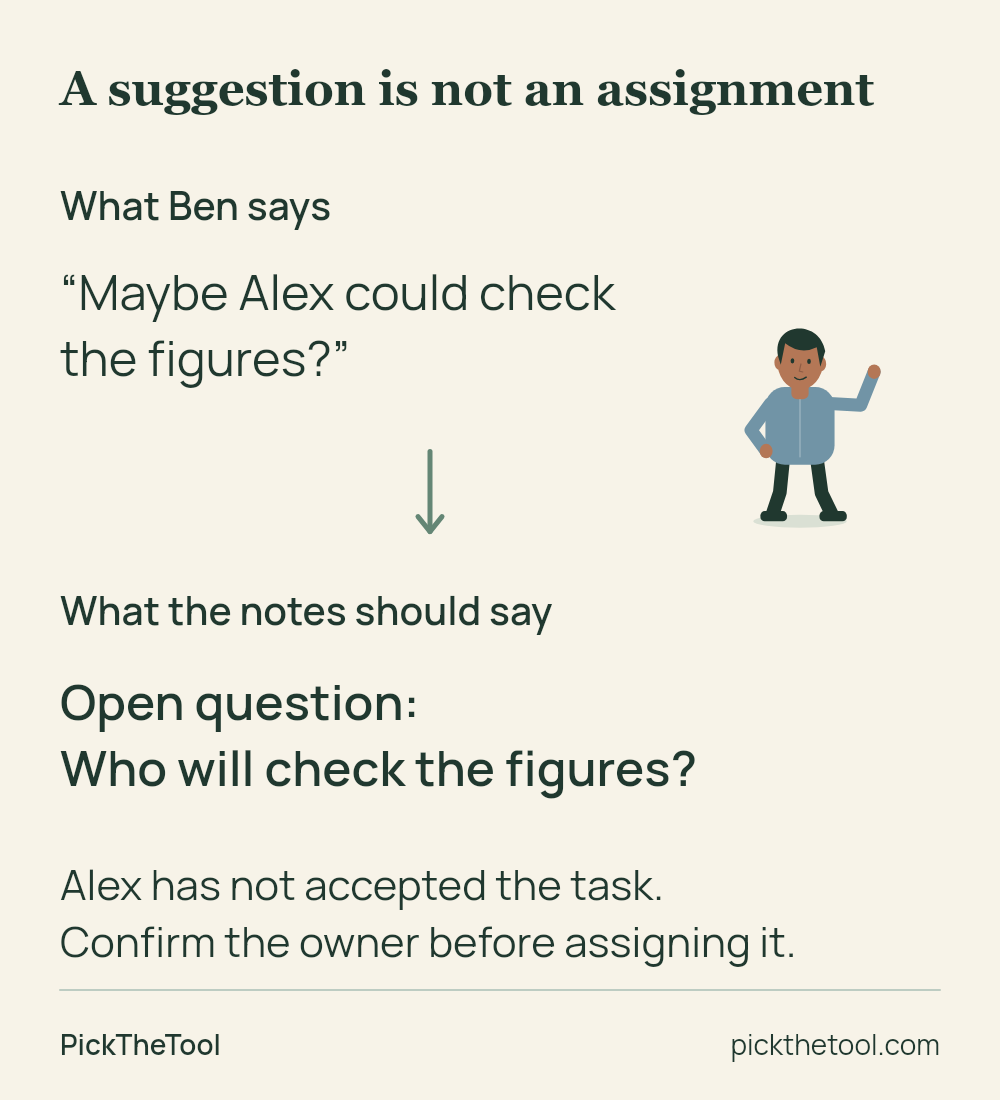
- Ben: “Maybe Alex could check the figures.” No one confirms this.
- Leo: “I’ll check the distribution list by Friday.”
- The team agrees to review the outline on Friday. Whether customers should receive the report remains open.
The meeting summary
Outcome: A shorter report outline will be drafted for review. The current report stays in use.
Decision: Keep the current report until the replacement has been reviewed.
Actions: Maya will draft the outline by Thursday. Leo will check the distribution list by Friday. The team will review the outline on Friday.
Open questions: Who will check the figures? Should customers receive the report?
Notice what the summary leaves out: Alex is not given a task. Ben suggested a possible owner, but Alex did not accept. The proposal belongs with the open questions until someone confirms the assignment.
A condition matters just as much as a name or date. Removing “until the replacement has been reviewed” would change the team’s decision. Keep it beside the decision, where a reader will see it.
Short summaries are useful when they remove repetition. They become misleading when they remove uncertainty. You do not need to reproduce the whole conversation, but you do need to preserve the difference between a suggestion, a decision and an accepted task.
See the example through to the next meeting
Watch how the original notes and a later review fit together, including what to do when a deadline changes.
Was that actually agreed?
Try these three short cases. Choose the entry you would put in the notes, then check why it fits. You can also open each explanation directly.
Show the explanation
Record the missing assignment as an open question. A suggested name is not an accepted task. Ask who will take it on before listing Alex as responsible.
Show the explanation
Keep the review condition. Finishing a draft does not establish that it has been reviewed or approved for use. The second entry changes the agreement.
Show the explanation
Sam has accepted the task, so record the owner. Leave the date unagreed and ask when an answer is needed. Friday is not a deadline just because it appears elsewhere in the notes.
Bring unfinished work to the next meeting
Review previous actions before adding new ones. Record what changed, retain an earlier deadline when it is revised, and leave unanswered questions visible. This lets someone see progress without comparing two incomplete task lists.
Maya has finished the outline. The team asks for more changes and does not approve it for use. Leo has not finished checking the distribution list; he and the team agree to move its deadline from Friday to Monday. Nobody has been assigned to check the figures, and the customer audience is still undecided.
- Outline: Draft complete. Further changes requested. Approval to use it is still outstanding.
- Distribution list: Leo’s task remains open. Original due date: Friday. Revised due date agreed at this review: Monday.
- Figures: Owner still not agreed.
- Customer audience: Still undecided.
The outline task can be complete while approval is still outstanding. If the team agrees new revision work, record that as a new action with its own agreed owner and date. Do not silently change “draft the outline” into “get the report approved.”
In the builder, open Add a later review under an action. Its original owner and deadline stay in the first record; the update appears separately in the exported notes. Only enter a revised deadline when a new one was actually agreed.
Download the worked example and Friday review (Word) to see the original agreement and the later update together.
Adapt the template to your meeting
Use a smaller version for a short check-in. The outcome, a few actions and one unresolved question may be enough. A longer planning meeting may need decisions grouped by topic, with a link to the document that explains each one.
For a recurring meeting, keep the previous action list nearby. Bring forward unfinished work with its status and any explicitly agreed changes. Keep the earlier notes as a record, rather than editing them to make every item look current.
For a handover, explain what the next person needs to do and where the relevant information is. A bare line such as “Maya: report” makes the reader reconstruct the task. “Maya will draft a shorter report outline by Thursday” carries the actual agreement.
Record meeting dates and deadlines precisely enough for the people reading them later. Our example uses weekdays to make the sequence easy to follow. In your own notes, use calendar dates when “Friday” could be confused with another week. Ask for clarification if the meeting did not settle which date was intended.
Notes, minutes or a transcript?
Choose the record that serves the job. Working notes help people act after a meeting. Formal minutes may need attendance, resolutions and an approval process set by your organisation. Use its required format when that applies.
If exact wording matters, retain an appropriate source and check the passage in context. A summary is not a substitute for a reliable quotation. Our guide to meeting notes versus transcripts explains when each kind of record is useful.
If capturing the conversation is the difficult part, see ways to capture AI meeting notes without a bot. If you are choosing between tools, our Fireflies.ai vs Tactiq comparison explains their different capture and sharing workflows. You can also use this template with ordinary handwritten notes; no recording or new software is required.
Check the notes before sharing
Read the finished meeting summary as someone who was absent. Can you tell what happens next without guessing? Check these points before sending it:
- If a decision depends on something happening first, make that clear in the notes.
- Named owners actually accepted their tasks.
- Deadlines were agreed, rather than inferred from the next meeting.
- Unresolved questions remain visible.
- Completed work is distinguished from approval to use it.
- Source links and the recipients are appropriate for the information.
When you used a transcript or an AI-generated summary, compare uncertain entries with the original source and confirm what remains unclear. A fluent sentence can still assign the wrong person or turn a suggestion into a promise.
Share the relevant outcome with the people who need it. Remove unnecessary personal detail and check document permissions before circulating links. Keep a copy in the place your team normally uses, so the next review can start from the actual record.
Sources and further reading
- University of Nebraska–Lincoln: How to conduct efficient meetings — guidance on actions and follow-up.
- Community Tool Box: Conducting effective meetings — preparing, running and following up meetings.
- Charity Commission: Charities and meetings — an example of specific formal record requirements for charities in England and Wales; not a universal template for team notes.
The template and practice examples are our own editorial materials. These sources inform the general guidance; they have not endorsed this tool.